Stream and Party Bonuses
Receive your 70% share and earn extra cash by completing weekly tasks.
Join Vone Live and turn your daily streams, party, and chats with viewers into real income. Through our agency network, you receive a guaranteed 70% share of all the gifts you earn.
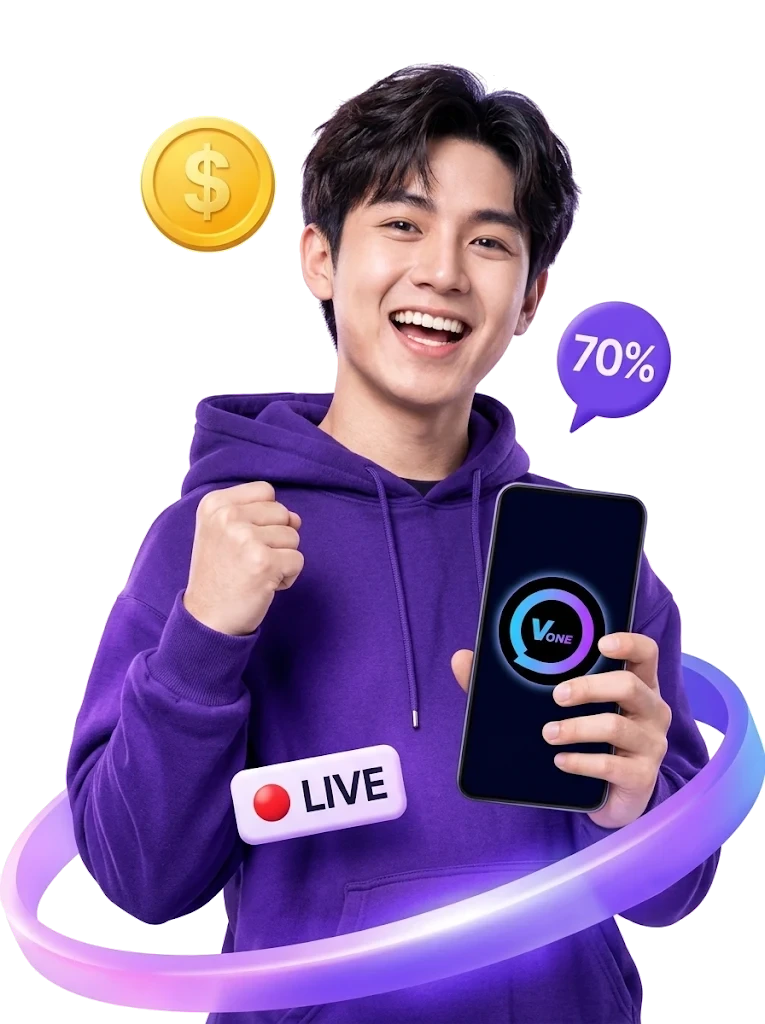
Vone Live offers several ways to earn. Every interaction can become an opportunity to make money.
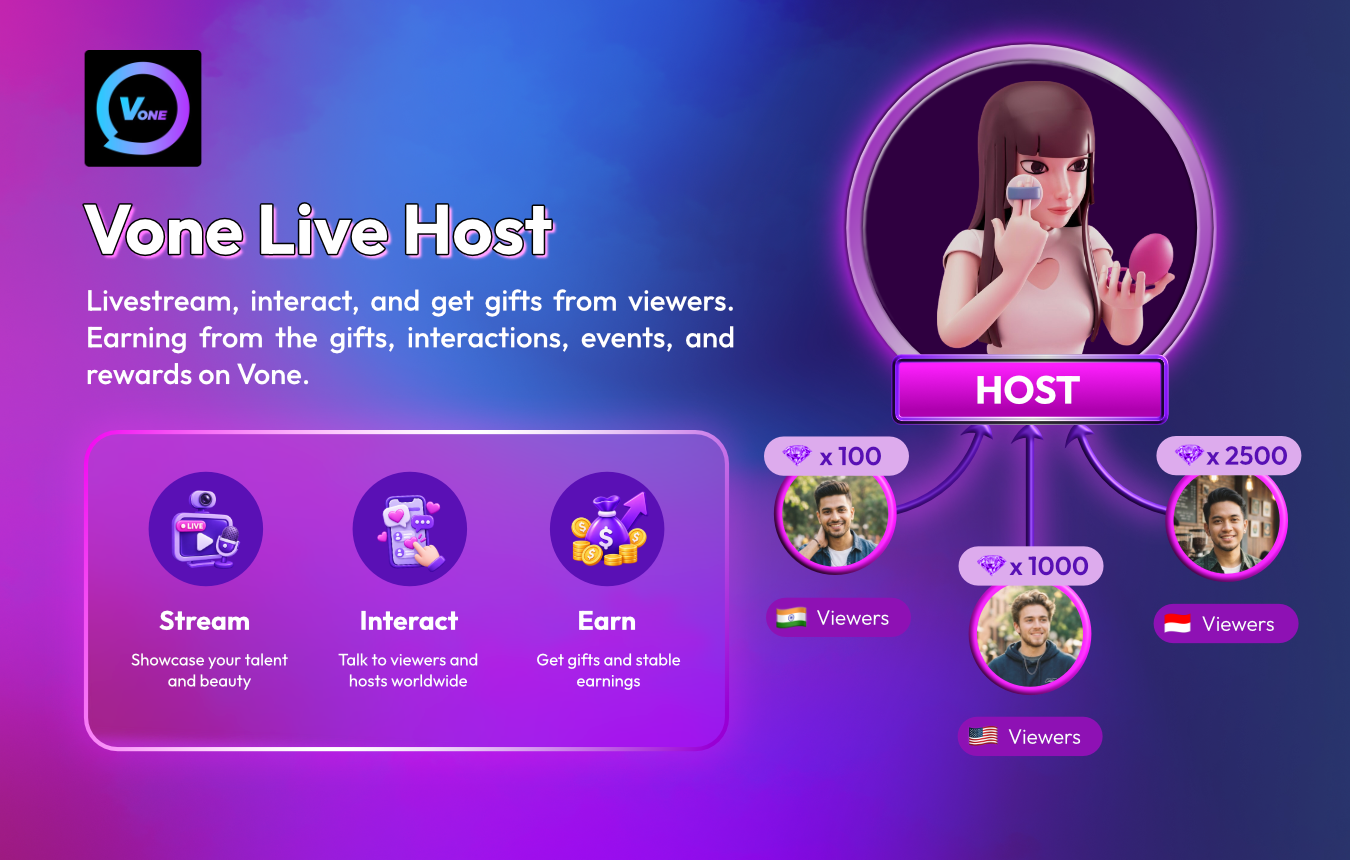
Make the most of these features to earn more each day.
Receive your 70% share and earn extra cash by completing weekly tasks.
Earn additional reward when you invite new creators to join the app.
Challenge other streamers in PK Battles. Winning can earn you special bonus.
Become one of the top gift receivers each day or week to compete for valuable prizes from the app.
Check the value of your points and see how much you can earn.
| Points Earned | USD Value |
|---|---|
| 10,000 | $1 |
| 100,000 | $10 |
| 200,000 | $20 |
| 500,000 | $50 |
| 1,000,000 | $100 |
| 5,000,000 | $500 |
| 10,000,000 | $1,000 |
The more consistently you stream, the higher your hourly salary bonus can be. Your level is determined by your total earnings over the previous 7 days.
| Tier | Total Earnings in 7 Days | Hourly Bonus | Maximum Hours per Day |
|---|---|---|---|
| S | 50,000,000 | 70,000 /H | 4H/Day |
| A | 22,000,000 | 50,000 /H | 4H/Day |
| B | 10,000,000 | 40,000 /H | 3H/Day |
| C | 7,000,000 | 35,000 /H | 3H/Day |
| D | 4,000,000 | 28,000 /H | 3H/Day |
| E | 2,000,000 | 18,000 /H | 3H/Day |
| F | 1,200,000 | 12,000 /H | 3H/Day |
| G | 900,000 | 9,000 /H | 3H/Day |
| H | 300,000 | 5,000 /H | 2H/Day |
| I | 150,000 | 3,000 /H | 2H/Day |
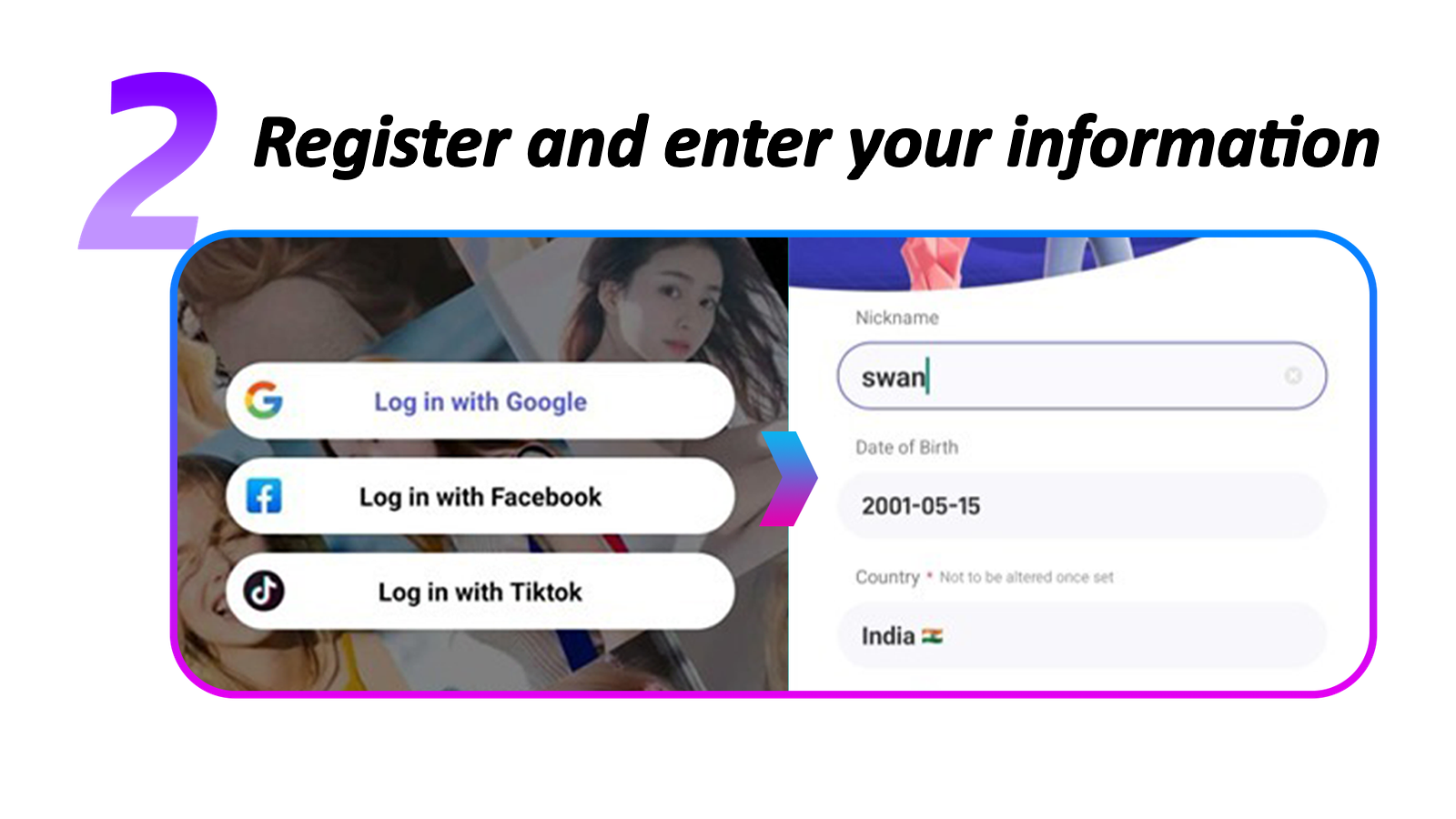
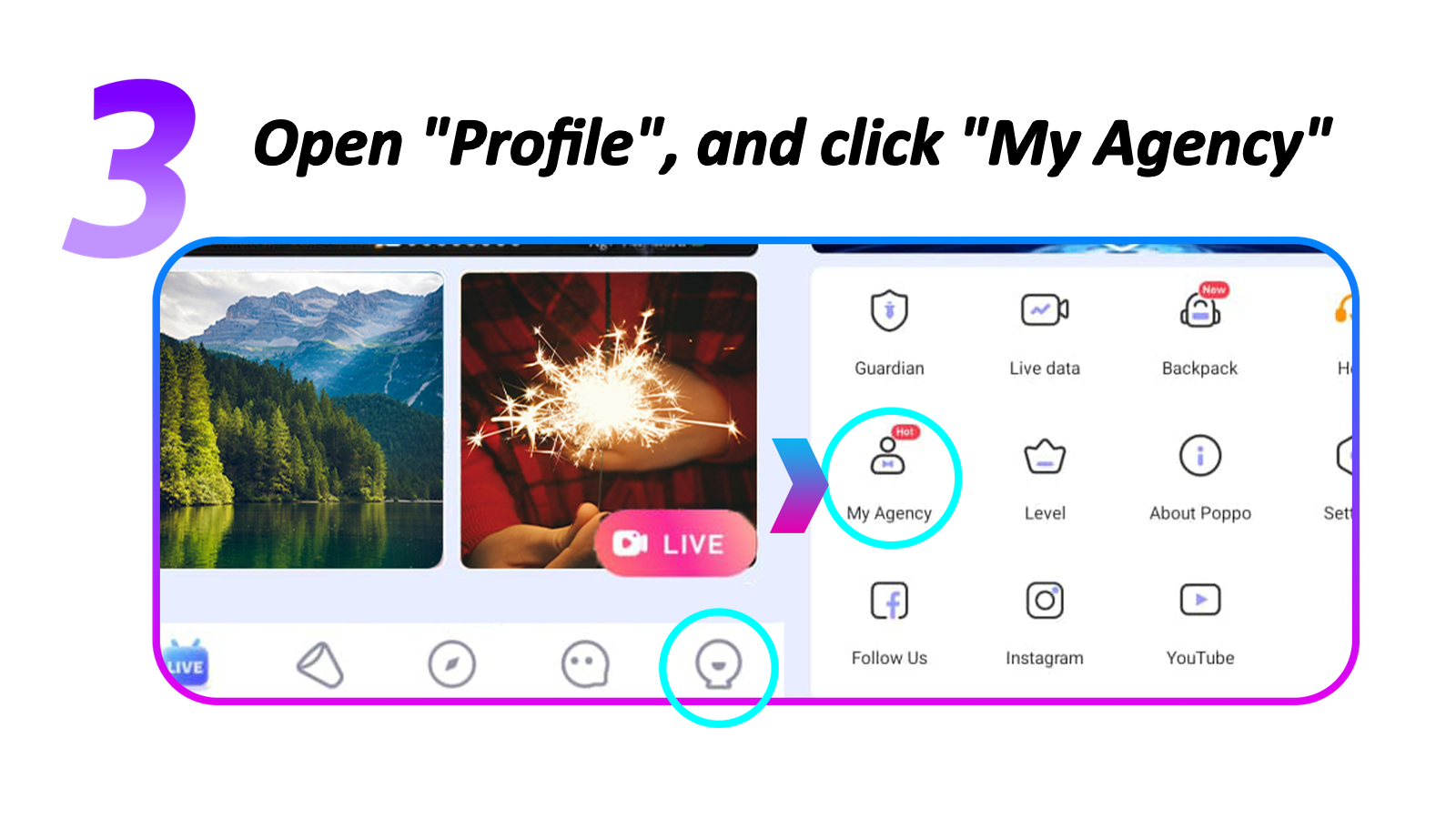
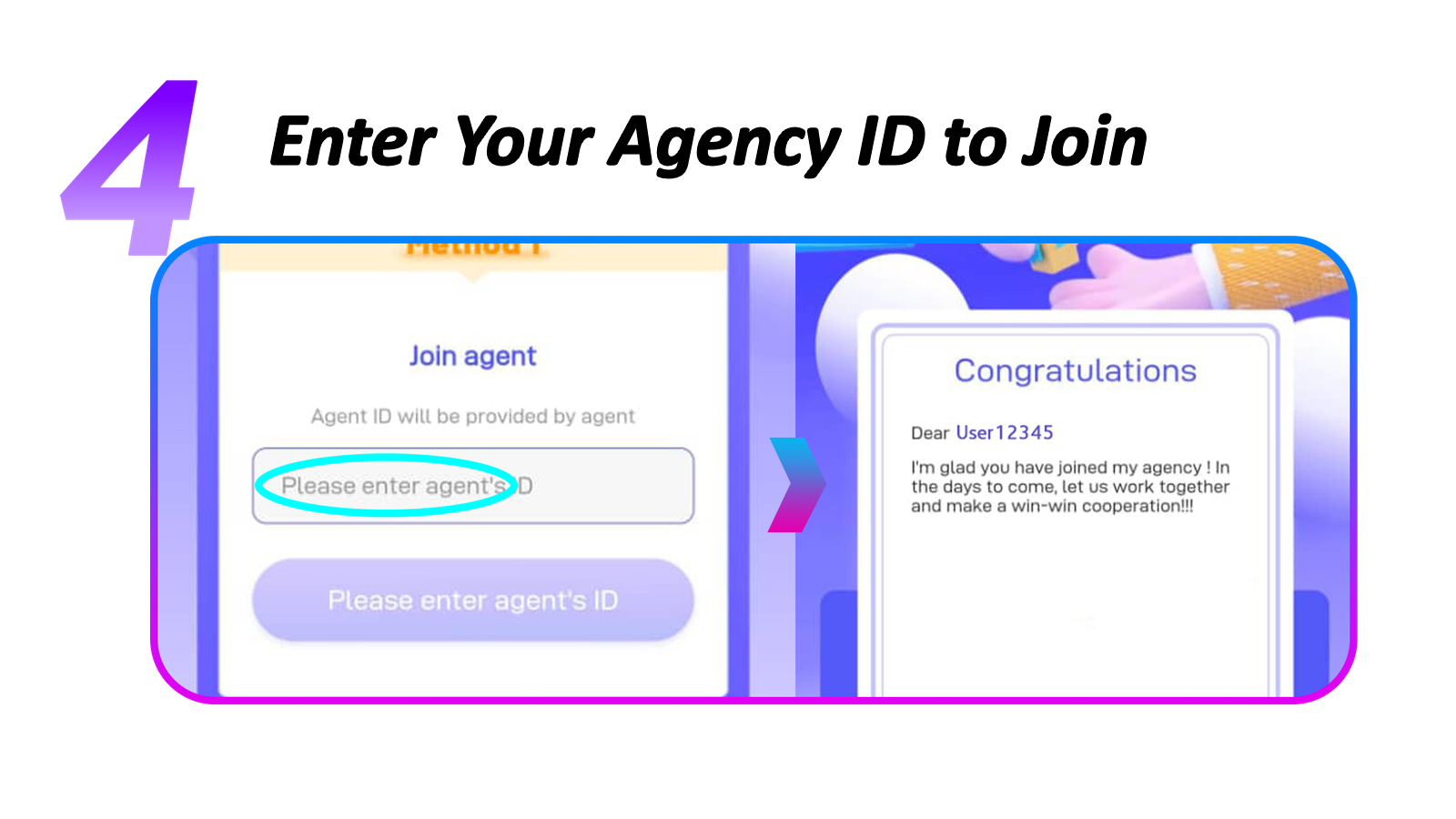
Follow these 4 simple steps to connect your account with our team and start earning.
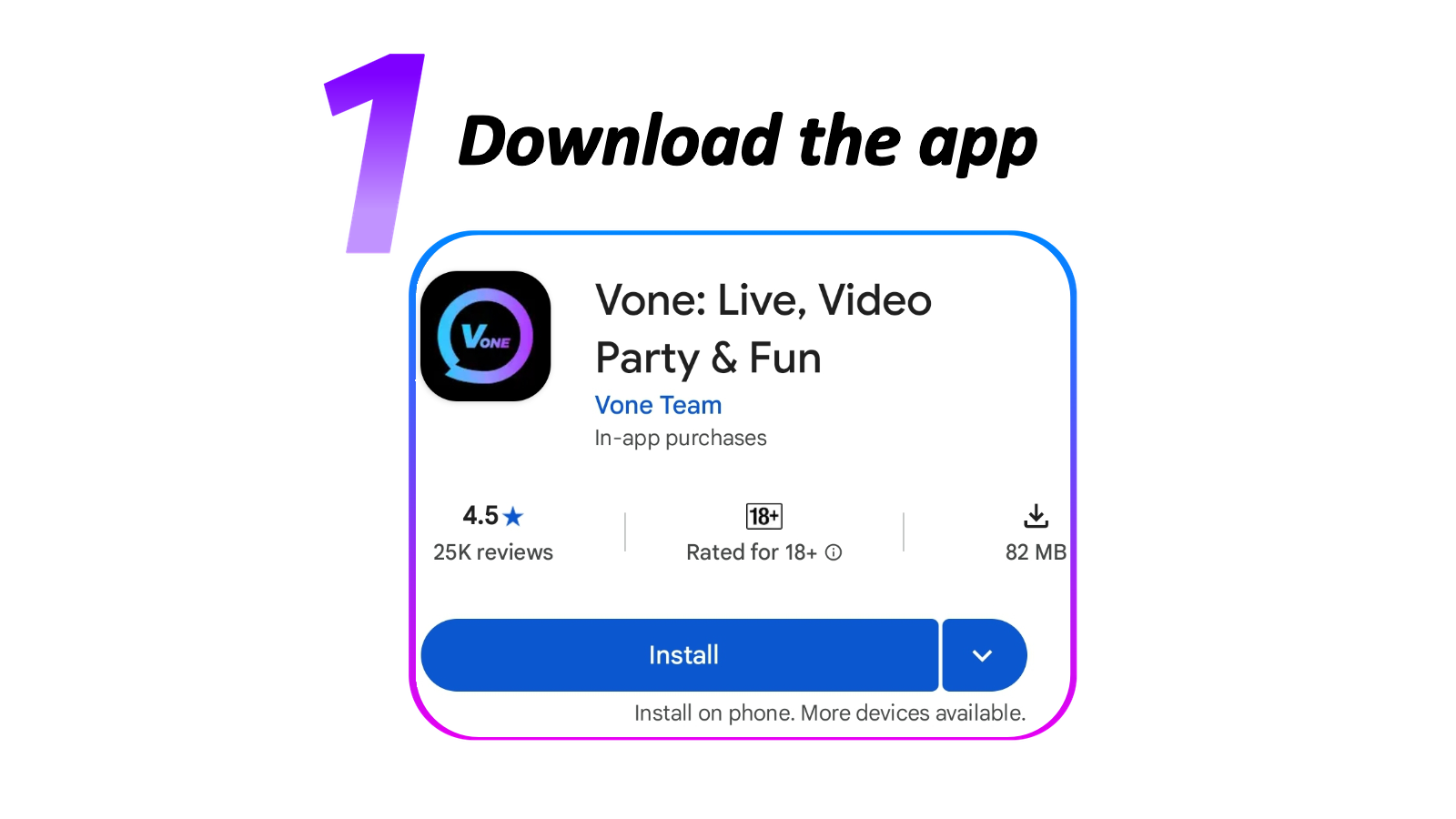
Get the app for Android or iOS.
Enter your Name, Birthday, Region, Gender, and Referral Code.
Go to your Profile and tap 'My Agent'.
Enter our Referral ID (13200998) and tap submit to become part of our team.
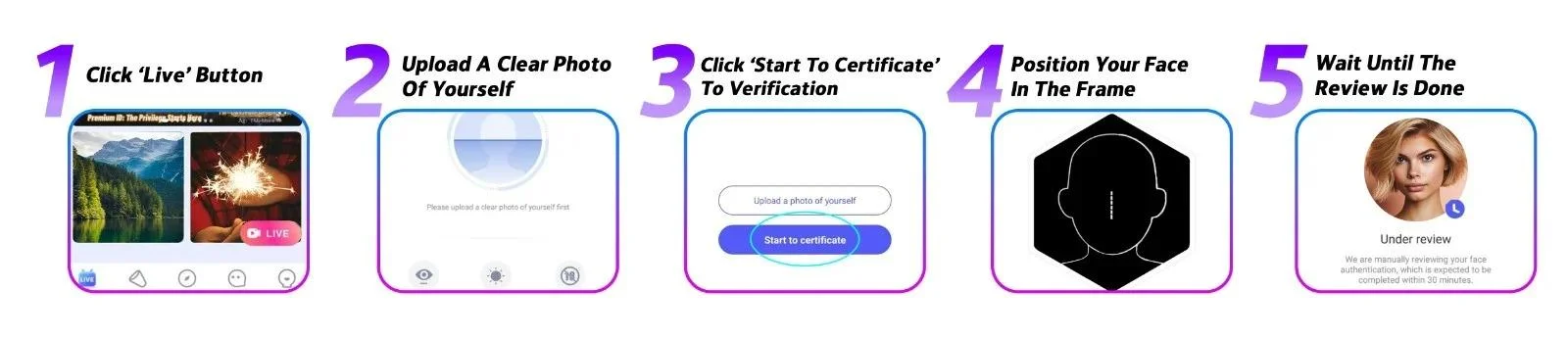
Face verification is required to unlock streaming and withdrawals. This step helps keep the platform secure.
Open the app and tap the 'Live' button to begin the verification process.
Take a clear photo of your face.
Tap 'Start to Certificate' to confirm that you are a real person.
Remove your glasses or mask, then follow the on-screen prompts, such as blinking or turning your head.
Submit your verification for approval. Once approved, you can start streaming. If it is unsuccessful, you can try again.
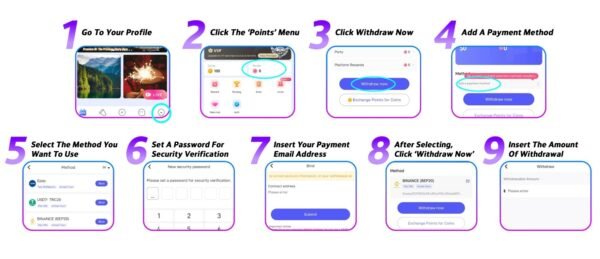
You can easily convert your points into money and send it to your bank or e-wallet. If you need assistance, visit our Support Desk.
Open your Profile.
Tap 'Points'.
Select 'Withdraw Now'.
Add your payment method if this is your first withdrawal.
Choose Epay, USDT, or another available method.
Create a secure Transaction PIN.
Link your email address for added security.
Return to 'Points' and tap 'Withdraw Now' again.
Enter the amount and confirm your withdrawal. Your money should arrive in about 72 hours.
Avoid the following activities to protect your account and prevent the loss of your earnings.
Here are quick answers to common questions from new hosts.
No. Downloading the app and starting to stream are completely free.
Receive digital gifts from fans, win PK Battles, and complete your daily streaming tasks.
No. The app is easy to use, and our agency will guide you as you learn how to grow.
$10 USD or 100,000 Points.
10,000 Points are worth $1 USD.
Yes. However, never share your personal phone number or home address with viewers during a live stream.
Send a message to our agency support team. We will contact the app administrators and help you resolve the issue.
Verify your account, complete your profile, and become part of the global Vone Live community. New to Vone Live? Visit our home page to learn how to begin.