Build Your Own Team of Talented Creators
Become a Vone Live Agency Partner. Recruit streamers, help them grow, and earn additional commission from the total gifts received by your team. Discover more about our partner network.

How the Vone Live Agency Works
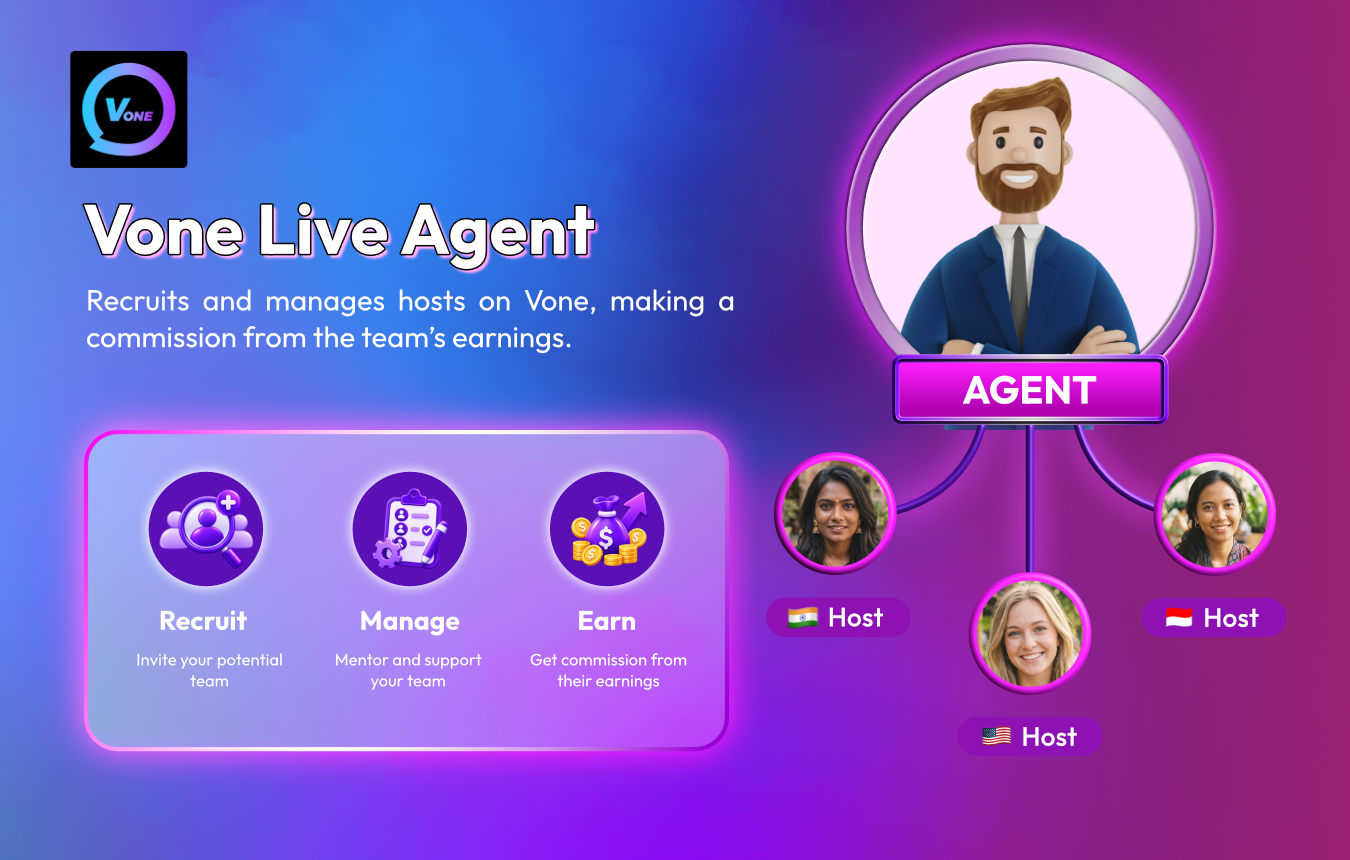
As an agency manager, you find promising talent, help hosts improve their streams, and grow your team to increase your earnings.
- 01Find and invite new Hosts and Sub-Agents.
- 02Guide your hosts on how to attract more gifts.
- 03Take part in agency events and competitions.
How to Create Your Agency Account
Follow these 7 simple steps to register your agency account. The process is quick and free.
- 01Download the App
Download Vone Live using the link we provide.
- 02Create an Account
Start by creating a regular user account.
- 03Copy Your Vone ID
Open your profile and copy your Vone ID.
- 04Open the Registration Link
Select the Agency Registration Link we provide.
- 05Enter Your ID
Paste your Vone ID and click 'Get'.
- 06Retrieve Your Verification Code
Open the app to receive your private verification code.
- 07Submit
Enter the code on the website and click submit to complete your registration.

How Much Commission Can You Earn?
Your commission rate increases as your team earns more. It is calculated using your team's total points over the previous 30 days.
| Tier | Team Earnings Over 30 Days | Live/Party Bonus | Chat Bonus |
|---|---|---|---|
| D | 0 ~ 2M Points | 4% | 4% |
| C | 2M ~ 10M Points | 8% | 8% |
| B | 10M ~ 50M Points | 12% | 12% |
| A | 50M ~ 150M Points | 16% | 16% |
| S | 150M+ Points | 20% | 20% |
- Your tier is determined by your team's earnings over the most recent 30 days.
- Your tier may increase or decrease each month depending on your team's activity.
Grow Your Agency Faster with Sub-Agents
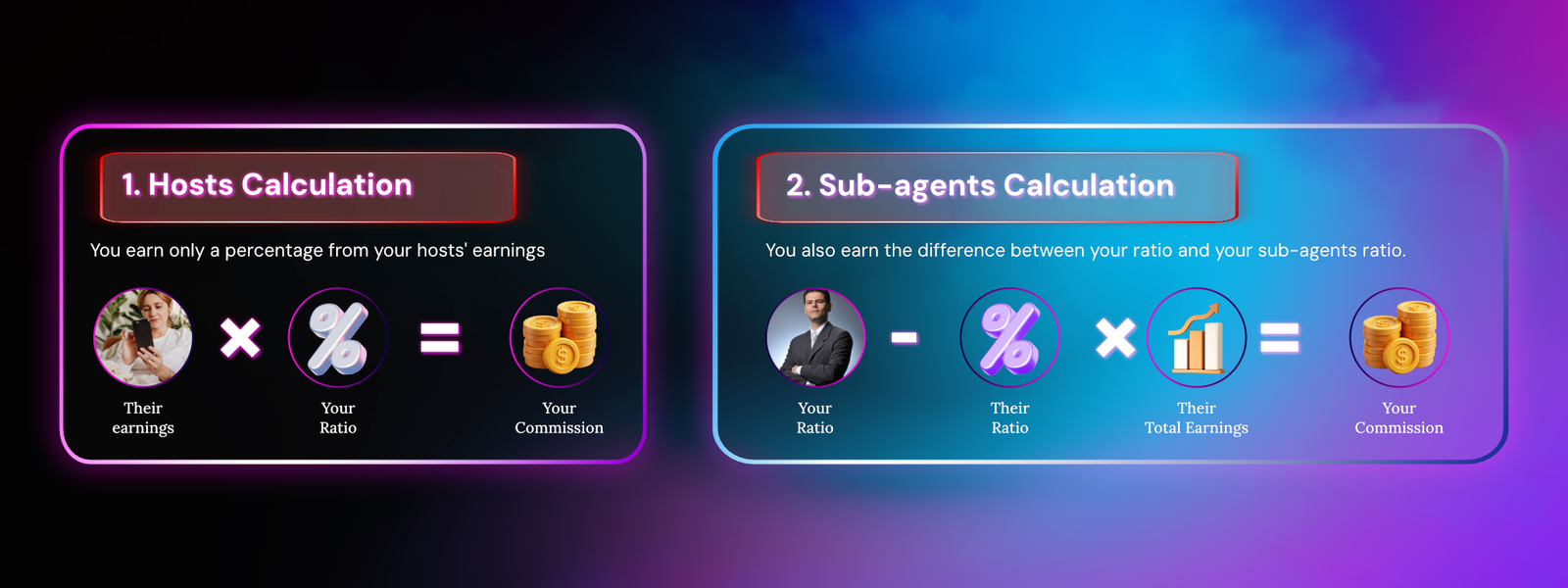
Invite other people to become managers under your agency. Working with sub-agents can help you expand your team more quickly.
- 01Each sub-agent manages their own smaller team.
- 02Their team's total earnings contribute to your 30-day tier and can increase your commission.
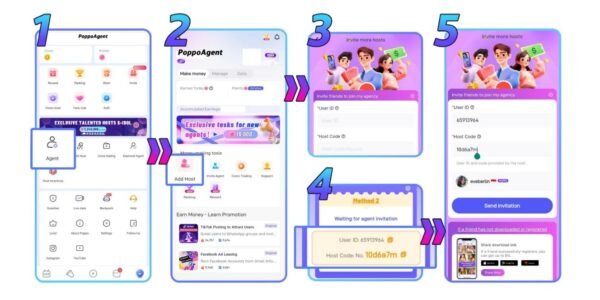
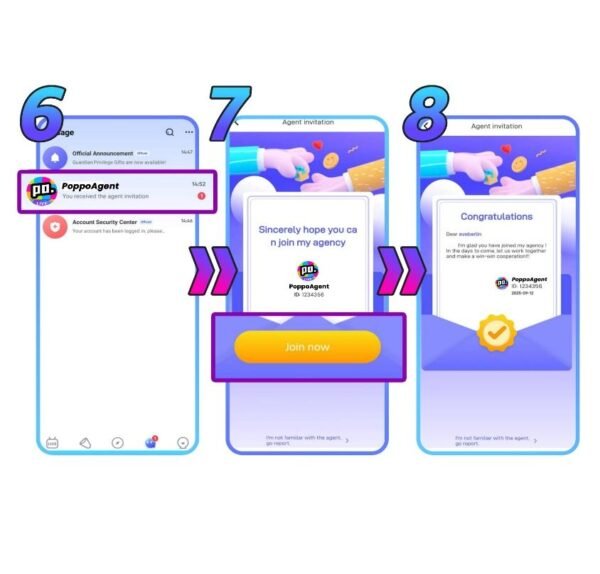
How to Add a Host to Your Team
Follow this simple process to connect a new streamer with your agency.
- 011. Open the Agent Menu
Go to your profile and select the 'Agent' menu.
- 022. Add a Host
Click the 'Add Host' button.
- 033. Get the Host's Details
You will need the host's Vone ID and invitation code.
- 044. Find the ID and Code
Use the example provided to see where the host can find their ID and code.
- 055. Send the Invitation
Send the invitation to the host.
- 066. Host Accepts
The host will receive a pop-up notification in their Vone Live app.
- 077. Face Verification
The host must accept the invitation and complete Face Verification.
- 088. Team Member
After accepting, the host officially becomes a member of your team.
How to Invite Sub-Agents
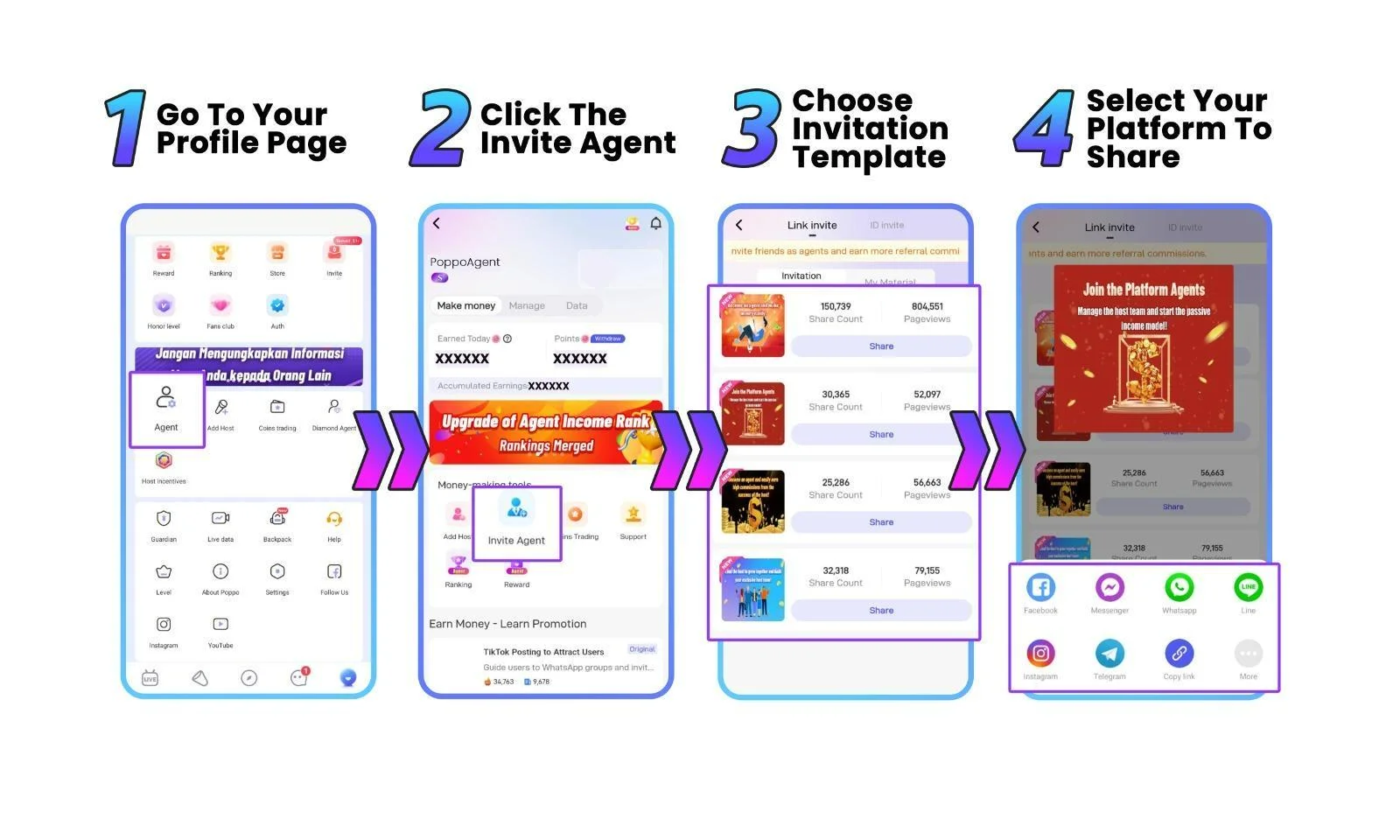
Use these steps to invite other managers to join your agency structure.
- 01Log In
Sign in to your Agency account.
- 02Open the Agent Center
Go to the Agent Center menu.
- 03Invite an Agent
Click 'Invite Agent'.
- 04Copy Your Link
Copy your unique invitation link.
- 05Share the Link
Send the link to people who are interested in building their own team.
Agency Face Verification
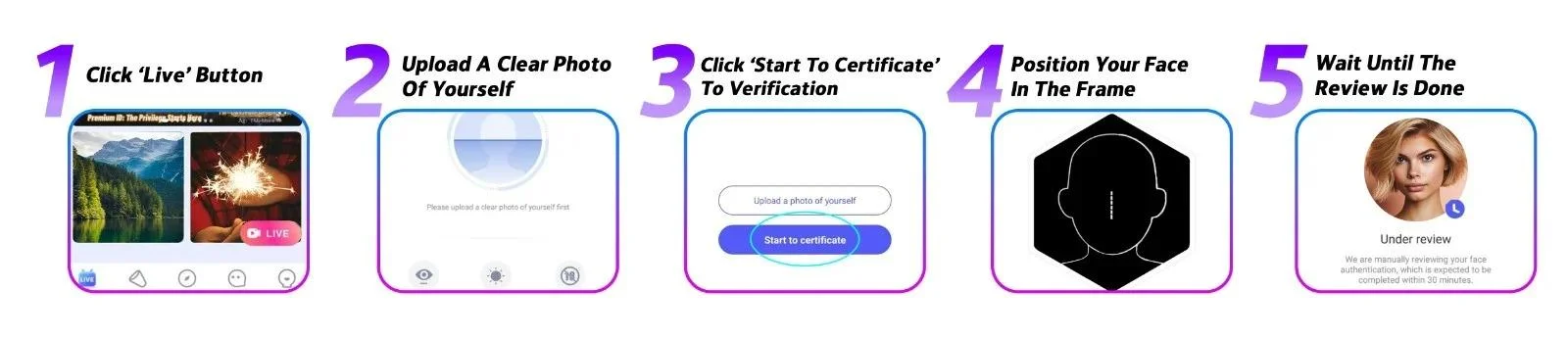
Every agency owner must verify their identity to help prevent fraud and enable withdrawals.
- 01Open Your Profile
Log in to your agency account and go to Profile.
- 02Open Face Verification
Select the Face Verification security menu.
- 03Start Authentication
Choose the face authentication option.
- 04Take a Photo
Take a clear photo of your face and tap 'start to certificate'.
- 05Follow the Prompts
Keep your face inside the circle. Blink, turn your head, or smile when prompted.
- 06Wait for Approval
The admin team will review your photo. This usually takes 1-3 business days. Once approved, your agency will be fully verified.
How to Withdraw Your Agency Earnings
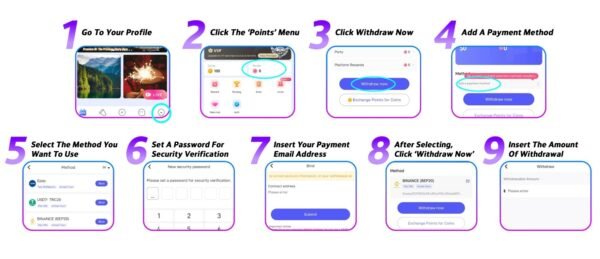
Your agency can withdraw its commission once the minimum balance has been reached. If you need help, contact our team.
- 01
Go to Profile.
- 02
Tap 'Points'.
- 03
Select 'Withdraw Now'.
- 04
Add your payment method.
- 05
Choose Epay, USDT, or another available option.
- 06
Create a Transaction PIN.
- 07
Link your email address.
- 08
Return to 'Points' and select 'Withdraw Now' again.
- 09
Enter the amount and confirm. Your funds should arrive in about 72 hours.
Vone Live Agency Rules
As an agency owner, you are responsible for managing your team properly and following the platform's rules.
- 01Inviting hosts who are already registered with another agency.
- 02Inviting anyone under the age of 18.
- 03Using fake identification or photos for verification.
Frequently Asked Question
Find quick answers to common questions from new agency partners.
Your income depends on the size and activity of your team. Top-performing agencies can earn a 20% commission on millions of points each month.
Your main tasks are finding talented streamers, teaching them how to earn more, and helping resolve their account issues.
No. The host must leave their current agency before you can invite them to join yours.
You only need an agency invitation code from us to register your account.
Yes. The system only requires basic details, such as your e-wallet or bank name. It will never ask for your password or PIN.
Reach out to our Agency Support team. We work directly with the Vone live app to help resolve issues quickly.
Start Building Your Team Today
Register your agency, invite hosts, monitor your earnings through the dashboard, and grow your business. Prefer to stream? Explore our host earnings guide.